

Are you a freelancer, skilled worker, or business owner searching for a better way to reach more customers and increase your income? The Okejiri app provides a simple platform where you can connect with clients in your area, promote your services, and get booked without stress. Whether you work alone or manage a team, Okejiri helps you build visibility, attract jobs, and grow your earnings faster. In this guide, you’ll learn how to register, set up your profile, add your services, and start receiving bookings step by step.
Why You Should Join Okejiri as a Service Provider
1. Get access to customers around your location who are actively searching for services like yours.
2. Showcase your skills, experience, and past work in a professional way that builds trust.
3. Receive booking requests directly without needing to advertise manually every time.
4. Manage your services, pricing, and availability from one simple dashboard.
5. Grow your business steadily whether you’re just starting or already experienced.
Requirements Before You Register
1. You need a working phone number and email because they are required for verification and communication.
2. A valid ID like NIN, voter’s card, or passport is needed for KYC identity confirmation.
3. A smartphone with internet access is required since everything is done through the app.
4. Your personal details must match your ID to avoid delays or rejection during verification.
5. You must be ready to complete OTP and document verification before your account becomes active.
How to Register as an Individual Service Provider
1. Open the Okejiri app on your phone after downloading it and wait for the homepage to load fully before proceeding.
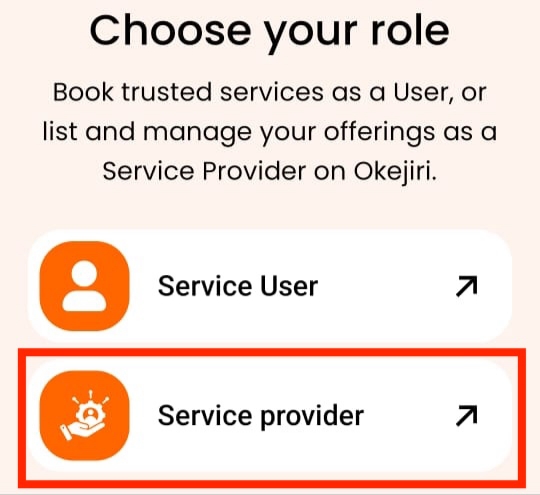
2. Tap on Service Provider on the homepage to continue with the registration process as someone offering services.
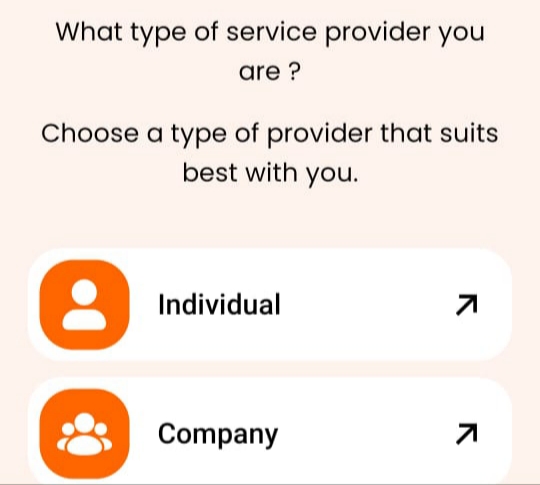
3. Select Individual as your provider type if you are working alone and not managing a team or company.
4. Click on the Sign Up button to begin creating your account and move to the next stage of registration.

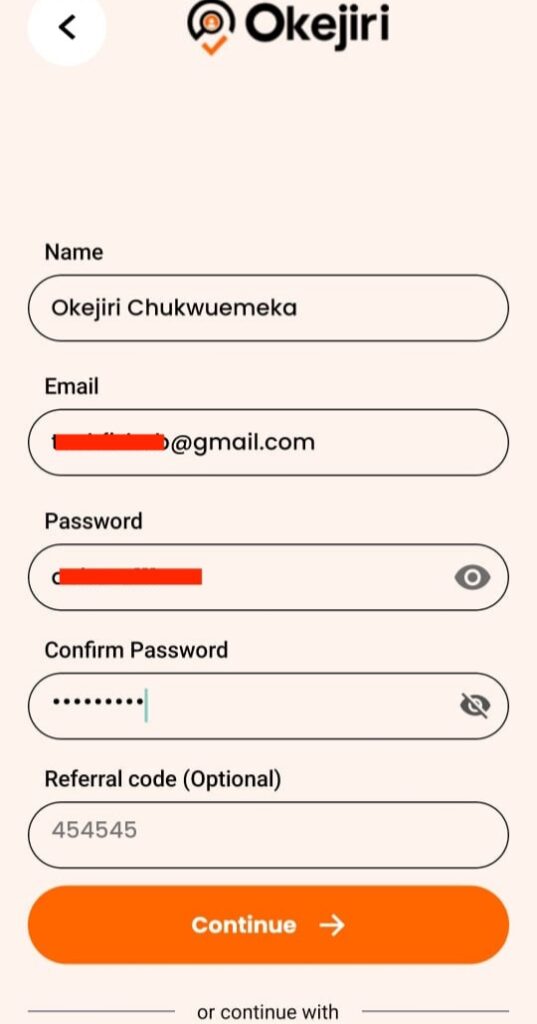
5. Enter your personal details including your full name and email address, making sure the name matches your official ID to avoid verification problems.
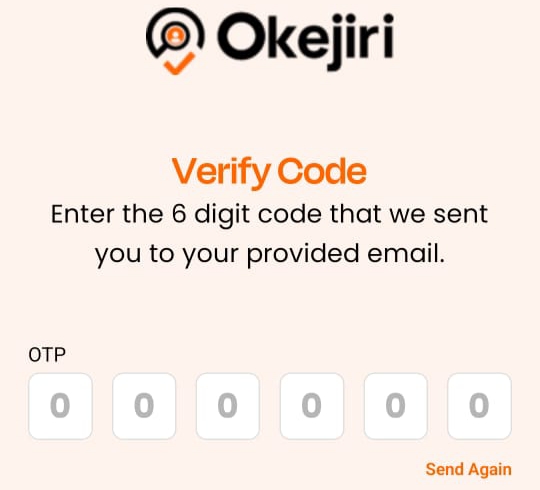
6. Check your email for the OTP code sent to you, then enter it correctly to verify and activate your account.
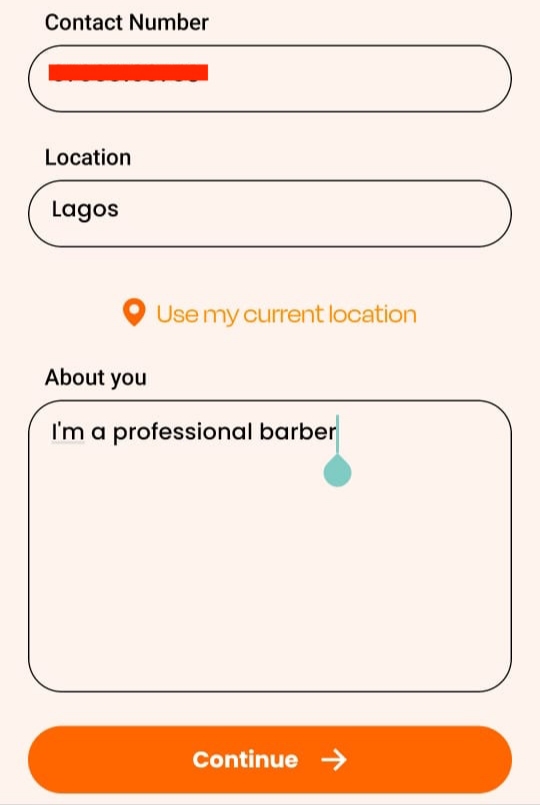
7. Add your phone number and choose your location by tapping Use My Location or selecting your city manually so nearby users can find you easily.
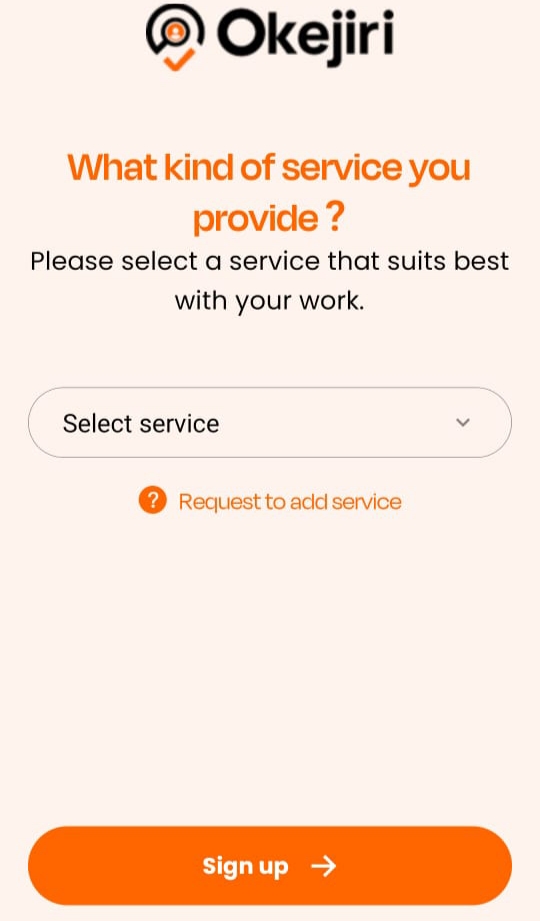
8. Select your service category by tapping Select Service, choose what you do (like barber, cleaner, or makeup artist), then complete the process by tapping Sign Up.
🎉 Your individual account is now ready.
Complete Your KYC Verification
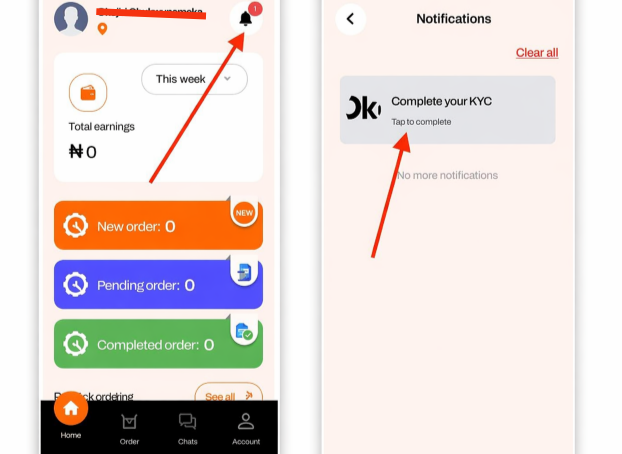
1. Tap the notification icon at the top right corner of your screen and select Complete Your KYC to begin verification.
2. Upload a valid document such as your National ID, NIN, Voter’s Card, or International Passport as required.
3. Take a clear photo of your document and a selfie to confirm your identity, then submit and wait for approval.
How to Register as a Company on Okejiri
1. Open the Okejiri app, select Service Provider, choose Company, and tap Sign Up to start your registration.

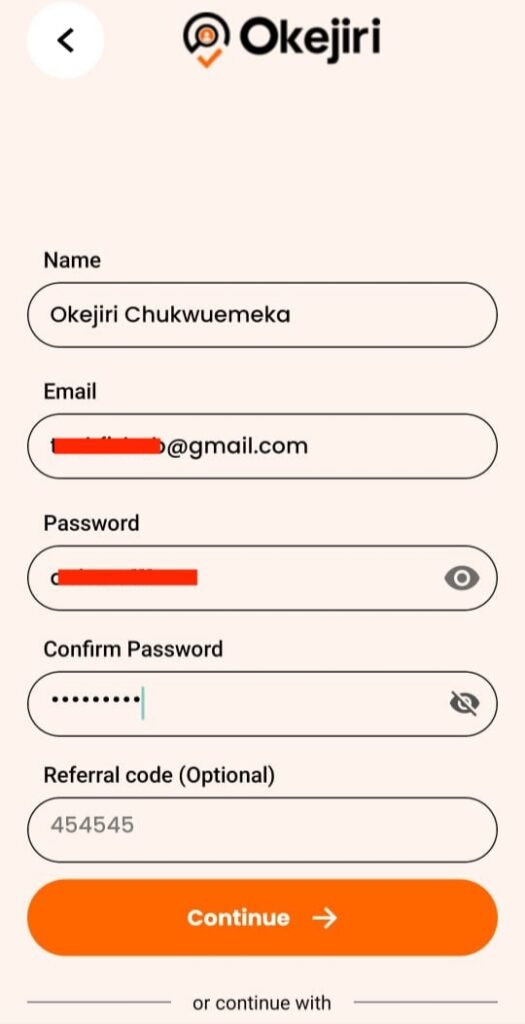
2. Enter your basic details including your name and other required information to create your account successfully.
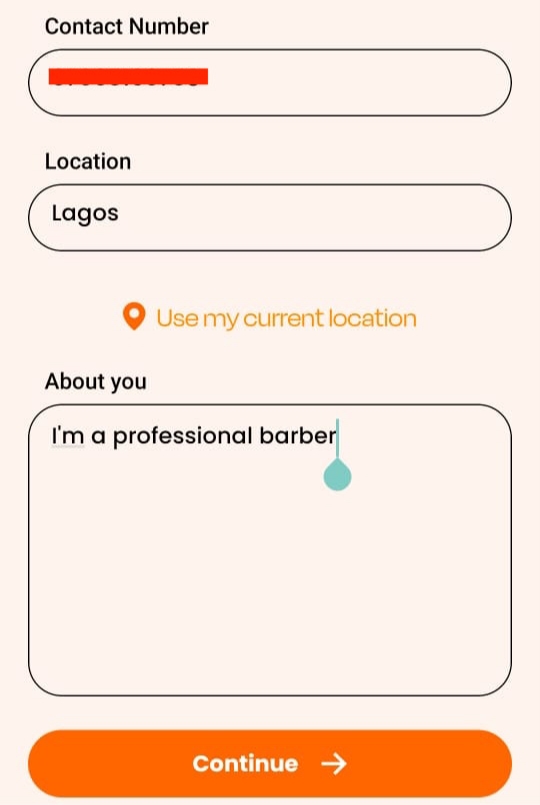
3. Add your phone number, select your city, use your current location, and complete the About You section properly.
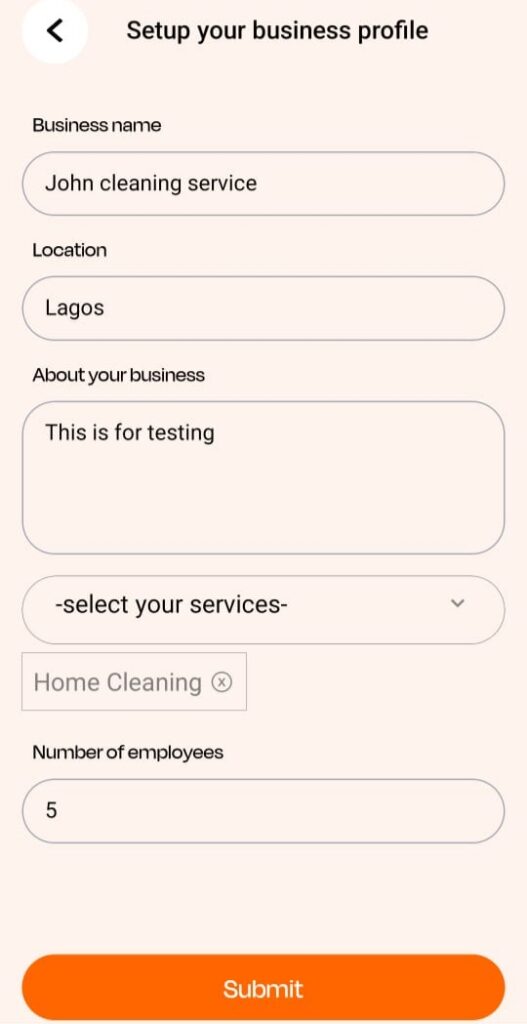
4. Set up your business profile by entering your business name, location, description, services, and number of employees.
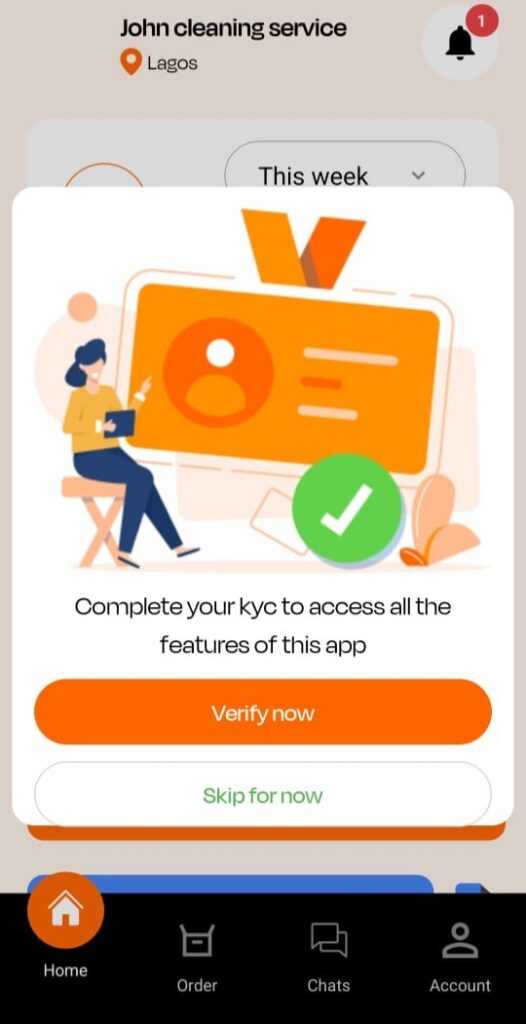
5. Access your dashboard where you can complete KYC verification and manage all your business activities easily.
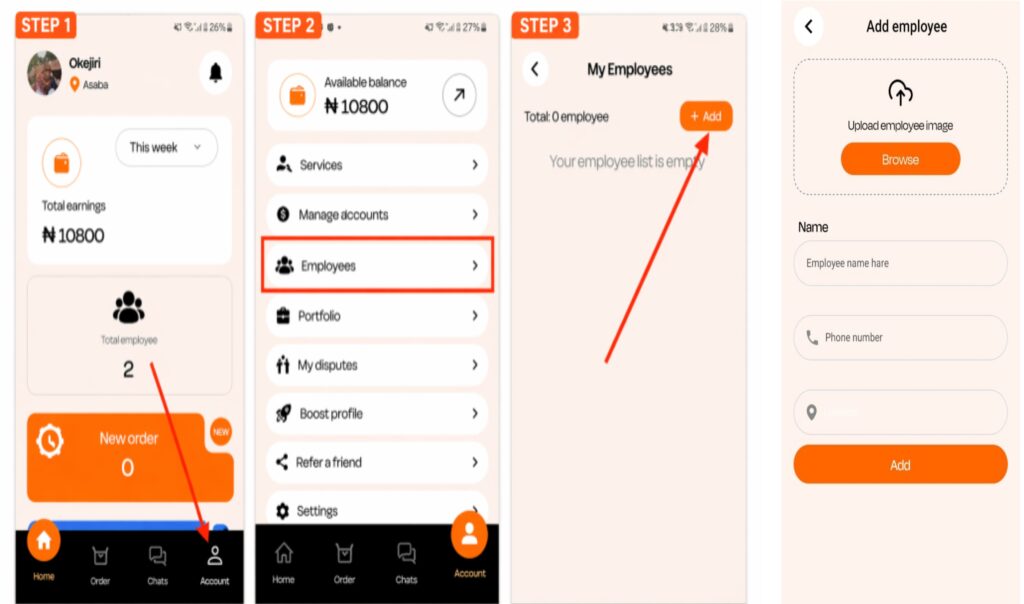
6. Add employees by going to Account → Employees, tapping Add, and filling in each staff member’s details like name, photo, and phone number.
Start Managing Orders
- Assign tasks to yourself or your employees depending on your account type.
- Track ongoing jobs and monitor activities directly from your dashboard.
- Manage bookings, respond to customers, and stay organized as your work increases.
Individual vs Company — Key Difference
- Individual accounts are for people who work alone and handle jobs by themselves.
- Company accounts are designed for businesses that manage teams and assign tasks to staff.
- Individuals take full control of their jobs while companies can distribute work among employees.
- Freelancers benefit more from individual accounts while established businesses benefit from company accounts.
- You can always start as an individual and upgrade later when your business grows.
How to Add Your Services on Okejiri
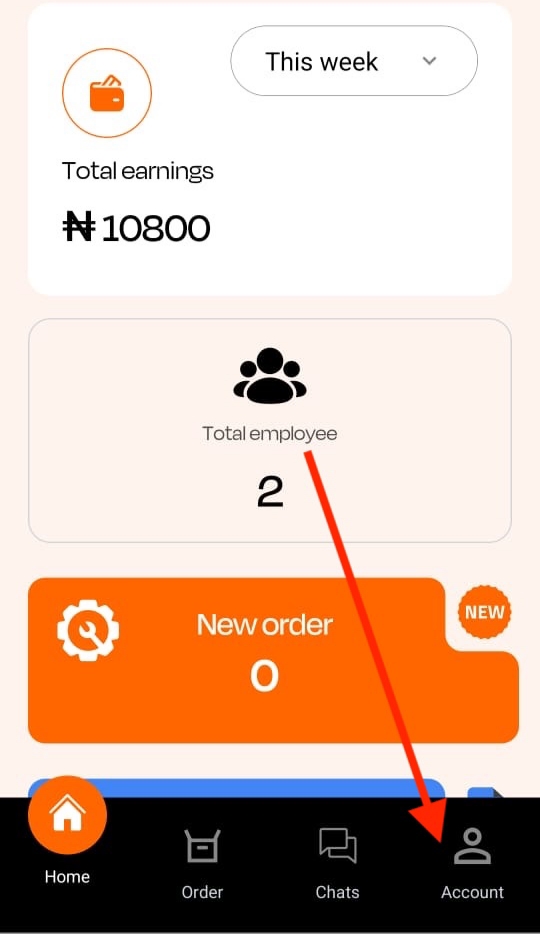
1. Go to your profile by tapping Account at the bottom right corner of the app.
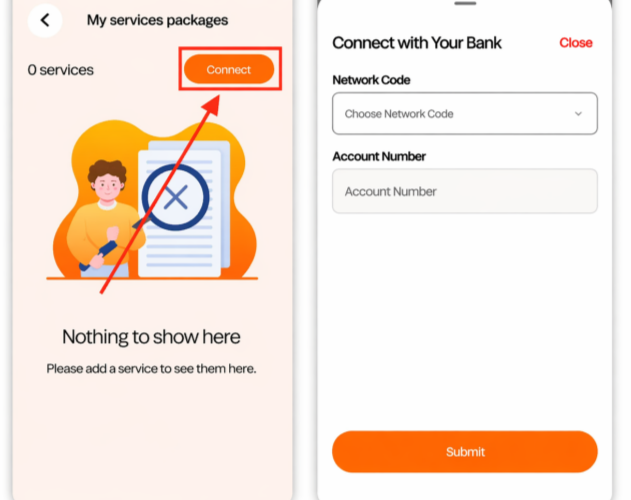
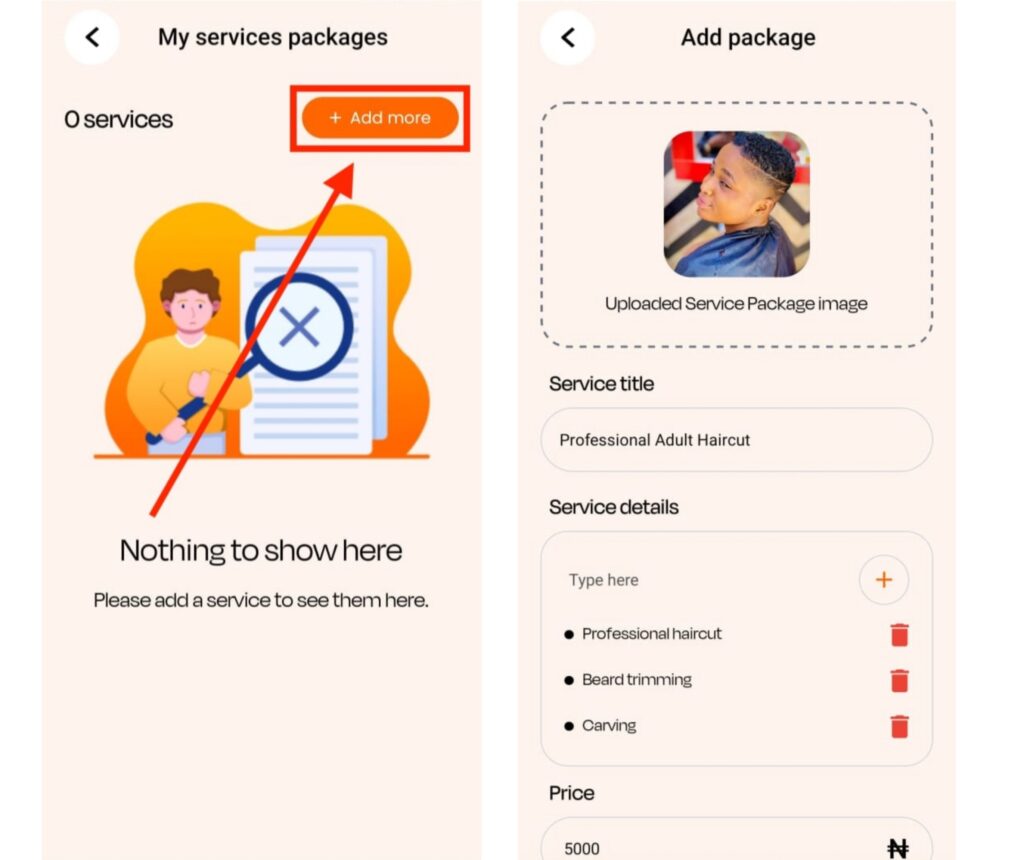
2. Tap Services and click Add More to begin listing what you offer.
3. Connect your bank account by selecting your bank and entering your account number to receive payments smoothly.
4. Add your service details including a clear image, a strong title, and a detailed description of what you offer.
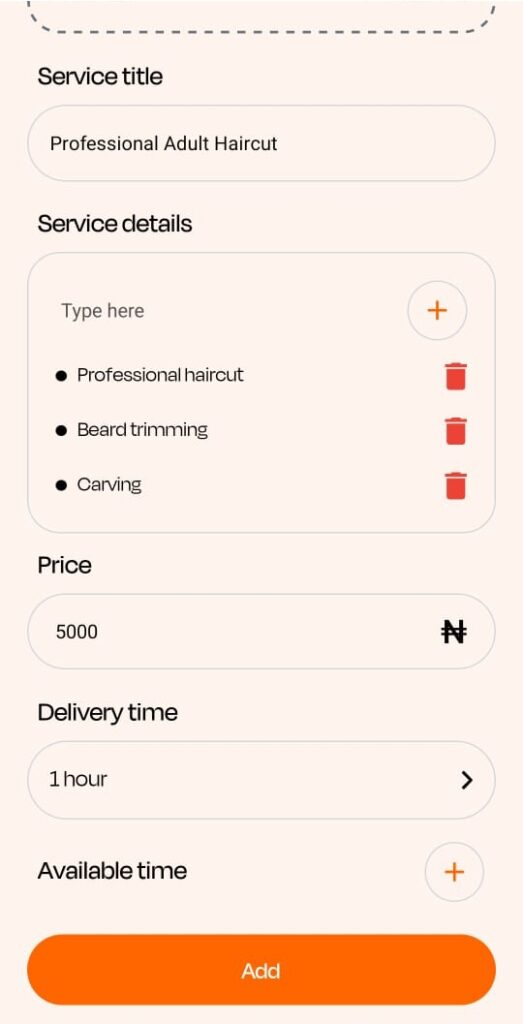
5. Set your pricing, duration, and availability so customers know exactly what to expect before booking.
Example of Services You Can List (Barber)
- Adult haircut
- Children haircut
- Hair coloring
- Dreadlocks styling
- Scalp or dandruff treatment
Common Mistakes to Avoid
Below are Common Mistakes to Avoid:
1. Using a name that doesn’t match your ID can delay or block your verification, so always ensure your details are correct.
2. Skipping or delaying KYC can prevent account approval, which means you won’t receive any bookings.
3. Uploading low-quality or blurry images reduces trust, as customers prefer clear and professional profiles.
4. Setting prices too high or too low without research can affect your chances of getting booked.
5. Leaving your profile incomplete makes it harder for customers to trust or choose your service.
Who Can Register on Okejiri
- Barbers and hairstylists
- Cleaners
- Cooks and chefs
- Nail technicians
- Makeup artists
- Massage therapists
- Home service providers
- And many other skilled professionals
Conclusion
Getting started on Okejiri is simple, but your results depend on how well you set up your profile and present your services. Complete your KYC, add clear service details, upload quality images, and set competitive pricing to stand out. The more professional your profile looks, the easier it becomes for customers to trust you, book your services, and help you earn consistently over time.